
Every Tool You Need,
Right in Your Browser
Real terminal, Monaco editor, 12 AI generators, 7 agentic AI tools, Git Explorer, Docker manager, and 50+ more. Zero downloads.
65+
Developer Tools
12
AI Generators
7
Agentic AI Tools
50+
Languages
0
Downloads Required
<2s
Load Time
Core IDE
A Real Development Environment
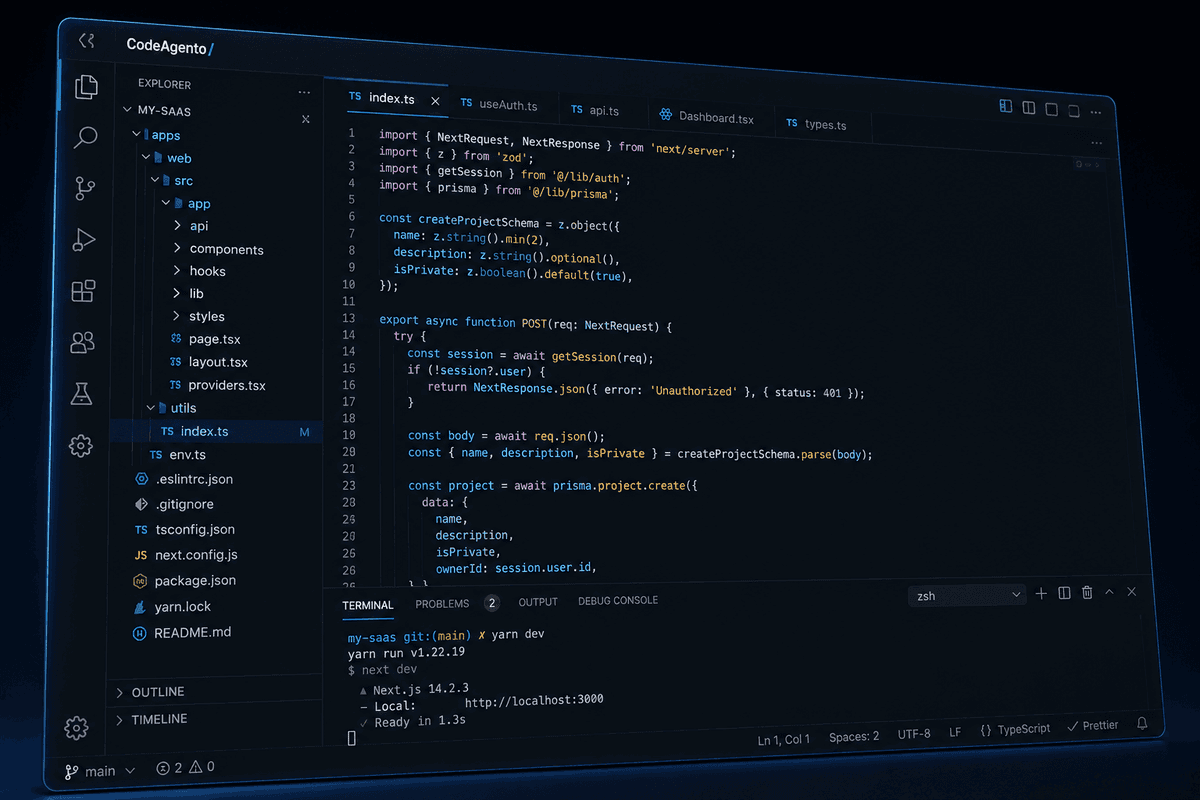
Not a toy editor. CodeAgento gives you a full PTY terminal, the same Monaco engine as VS Code, voice dictation for hands-free coding, and a visual Git Explorer with 7 tabs of version control power.
- Full PTY terminal with xterm.js. Run any CLI tool
- Monaco Editor with IntelliSense for 50+ languages
- Voice dictation to editor, terminal, or any input
- Git Explorer: log, branches, staging, stash, tags, stats, churn
Real Terminal
Full PTY shell sessions via xterm.js over WebSocket. Multi-tab support, auto-reconnect, and 5,000-line scrollback buffer.
Monaco Editor
The same engine as VS Code: IntelliSense, 50+ languages, split view, minimap, breadcrumbs, and Git diff gutter.
Voice Dictation
Hands-free coding with Web Speech API. Dictate directly to the editor, terminal, or any input field.
Git Explorer
Visual commit log, branch management, staging area, stash, tags, contributor stats, and code churn analysis. Seven tabs of Git power.
AI Generators
12 AI-Powered Code Generators
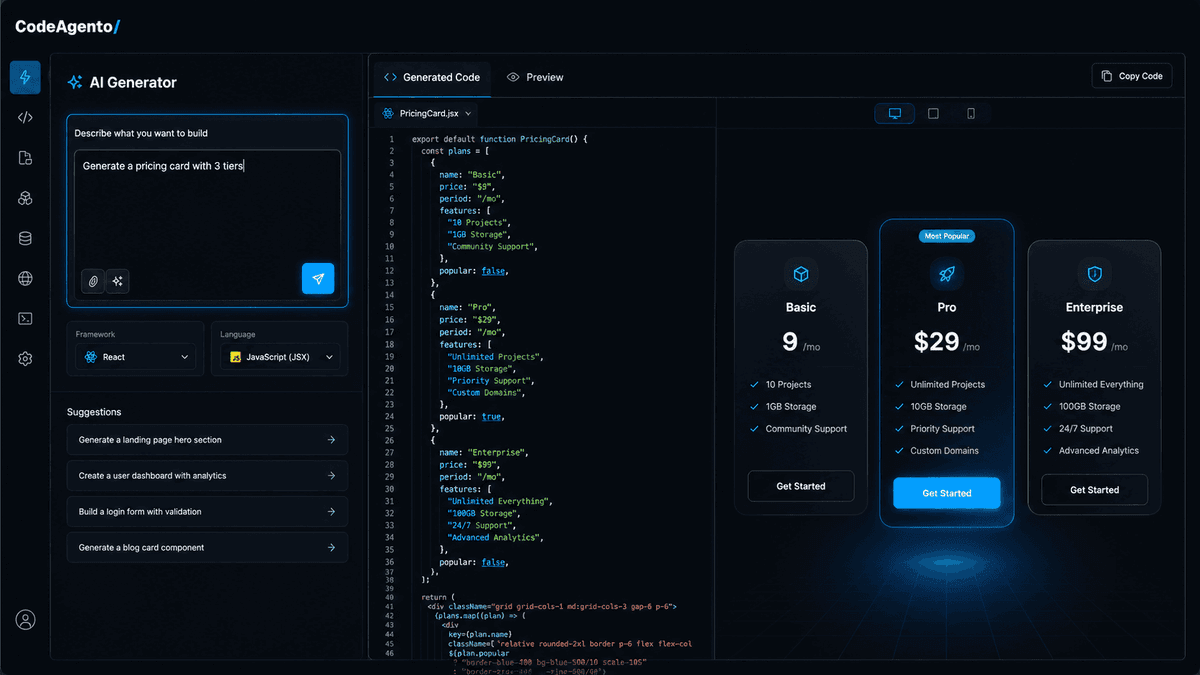
Powered by Gemini 2.5 Flash, each generator produces production-ready output from natural language descriptions. Generate HTML pages, React components, Tailwind classes, color palettes, animations, regex, and more.
- HTML, component, and layout generation from descriptions
- Color palettes with WCAG contrast validation
- Design-to-code: upload an image, get production code
- Full AI history: browse, search, and re-run any generation
HTML Generator
Generate complete HTML pages from text descriptions.
Component Generator
Scaffold React, Vue, or Svelte components with props and styling.
Tailwind Generator
Generate Tailwind utility classes from design descriptions.
Color Palette
AI-generated color schemes with harmony modes and WCAG contrast.
Font Pairing
Find complementary font combinations for your project.
Icon Finder
Search and discover icons from Lucide with AI suggestions.
Animation Generator
Create CSS/Framer Motion animations from descriptions.
Layout Generator
Generate responsive grid and flexbox layouts.
Meta Tags
Generate SEO-optimized meta tags, Open Graph, and Twitter Cards.
Regex Generator
Build and test regular expressions with AI assistance.
JSON Generator
Generate JSON data structures and mock data from schemas.
Markdown Generator
Create structured Markdown documents from outlines.
Frontend Tools
12 Tools for Frontend Development
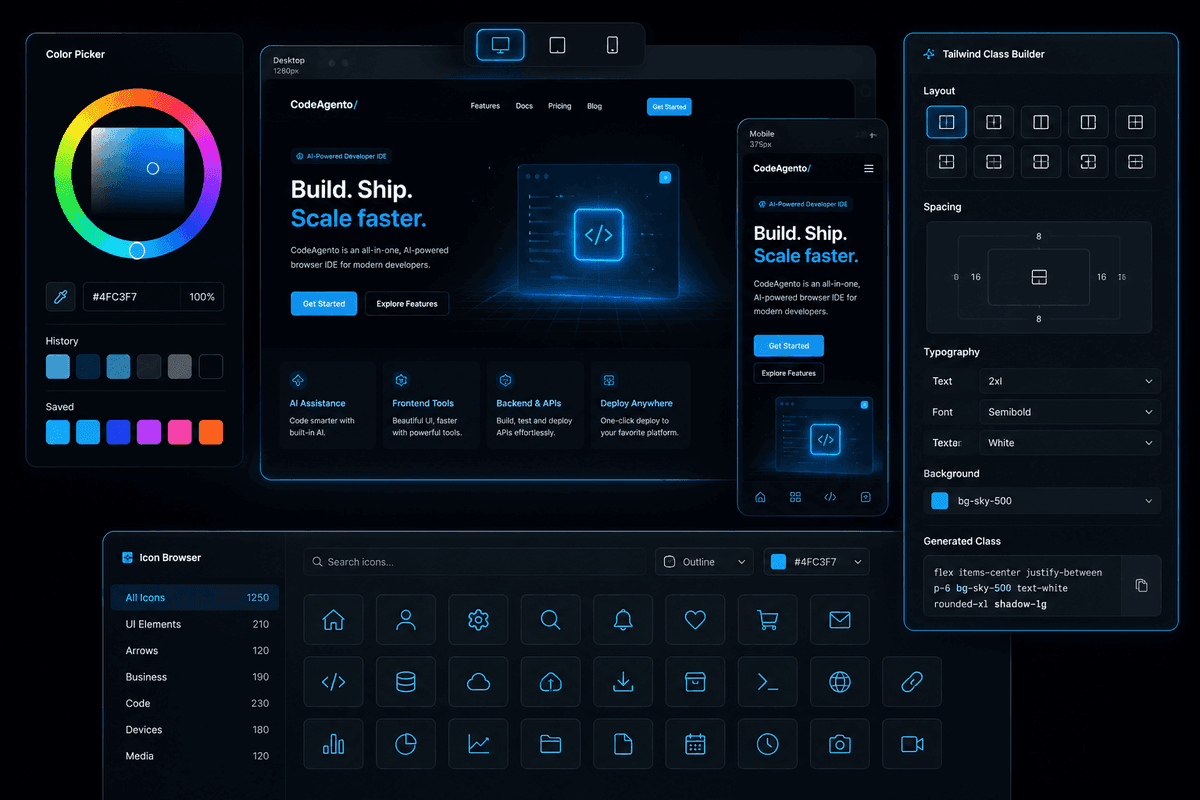
Build, preview, and refine your frontend without leaving the IDE. Live component playground, visual Tailwind builder, responsive tester, asset optimizer, and more. Everything a frontend engineer needs.
- Live component playground with iframe preview
- Visual Tailwind class builder with categorized panels
- Image optimization with Sharp: PNG, JPEG, WebP, AVIF
- Responsive tester with device presets
Component Playground
Live coding with iframe preview: React, Vue, Svelte, HTML.
Tailwind Builder
Visual class builder with categorized panels and live preview.
Color Tools
Color picker, harmony modes, shades, and WCAG contrast checker.
Asset Optimizer
Compress and resize images with Sharp. Supports PNG, JPEG, WebP, and AVIF.
Animations
Preview and edit CSS keyframes and Framer Motion animations.
Responsive Tester
Preview your site at any viewport with device presets.
Icons Browser
Browse, search, and copy from thousands of Lucide icons.
Meta Tag Editor
Edit and preview social cards, favicons, and SEO metadata.
Font Explorer
Browse Google Fonts with live preview and pairing suggestions.
Grid & Flex Builder
Visual grid/flexbox layout builder with live CSS output.
JSON Viewer
Format, validate, diff, and transform JSON data.
Markdown Editor
Split-pane Markdown editor with live preview and export.
Backend Tools
16 Tools for Backend Engineering
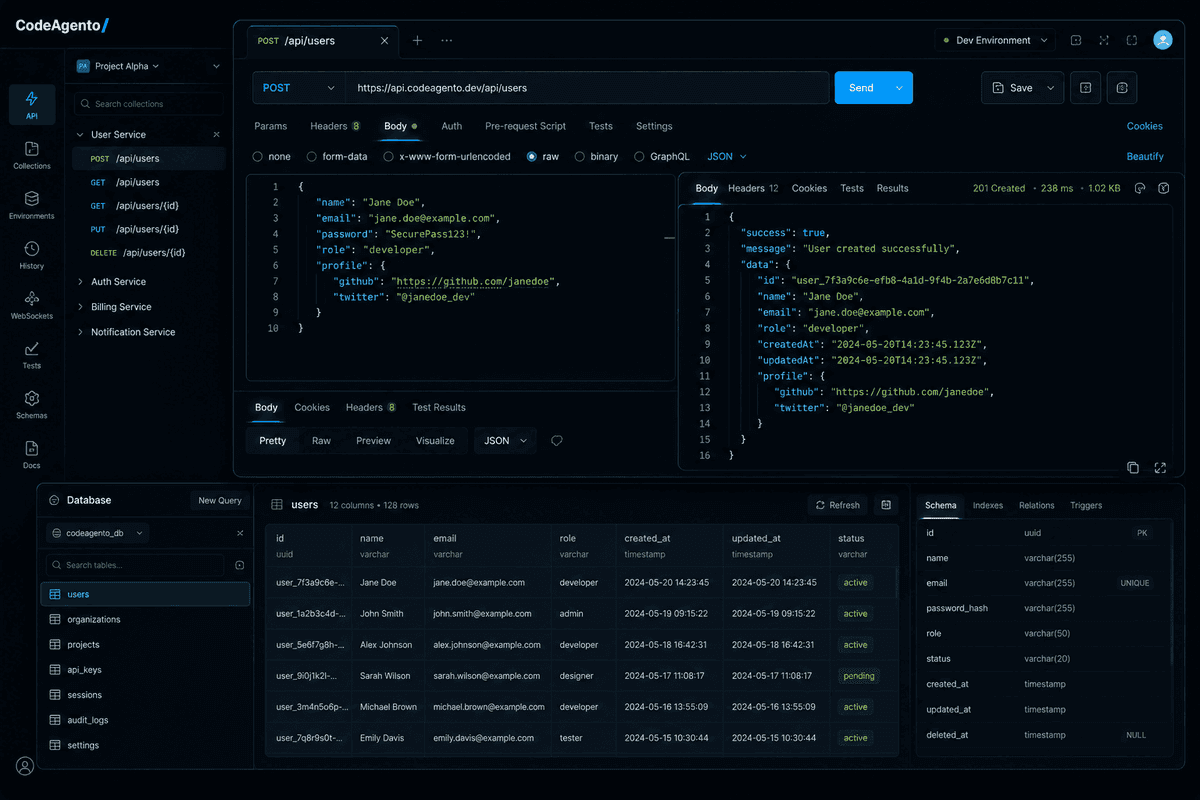
API testing, database exploration, Docker management, SSH connections, log viewing, cron jobs, webhook capture, GraphQL, WebSocket testing, and load testing, all integrated into one workspace.
- Full HTTP client with auth, headers, and response history
- Database browser for PostgreSQL, MySQL, and SQLite
- Docker container management with streaming logs
- SSH client with key-based authentication
API Tester
Full HTTP client with headers, body, auth, response viewer, and history.
Database Explorer
PostgreSQL, MySQL, and SQLite with schema browser, SQL editor, and CSV export.
Docker Manager
Manage containers, images, volumes, networks with streaming logs.
Log Viewer
Tail and search application logs with syntax highlighting.
Env Manager
Edit .env files with encryption, validation, and diff view.
SSH Client
Connect to remote servers with key-based authentication.
Queue Monitor
Inspect and manage message queues in real time.
API Docs Generator
Auto-generate OpenAPI specs from your routes.
Cron Manager
Create, edit, and monitor scheduled jobs.
Server Monitor
Real-time health checks and port monitoring.
Webhook Capture
Inspect incoming webhooks with request replay.
GraphQL Explorer
Schema browser, query builder, and response viewer.
Data Explorer
Browse, query, and edit your backend data classes visually.
Mock Server
Create mock REST endpoints for frontend development.
WebSocket Tester
Connect, send messages, and monitor WebSocket frames.
Load Tester
Run HTTP load tests with configurable concurrency and duration.
Agentic AI Tools
7 Tools for Building AI Agents
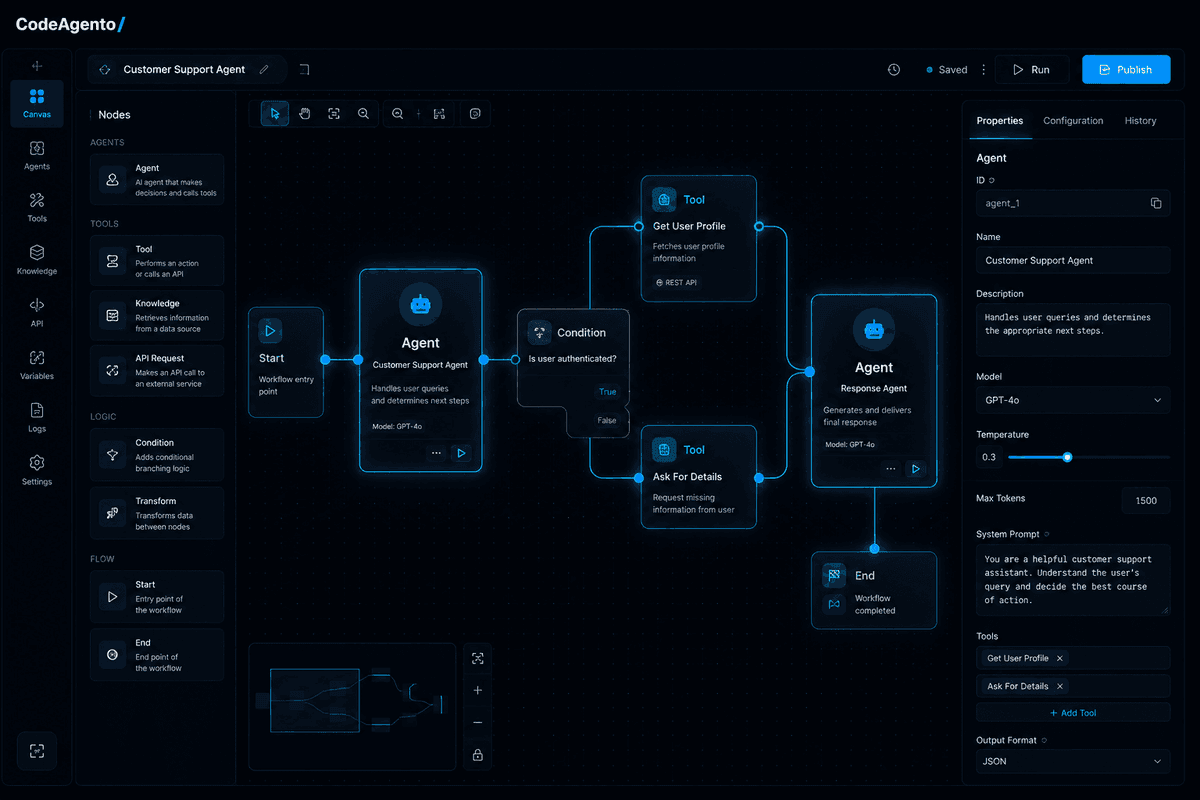
Build, test, and debug AI agents without leaving your IDE. Design tool schemas, test prompts, scaffold MCP servers, create visual agent workflows, and trace execution step by step.
- Agent Builder with custom system prompts and tool configs
- Visual Flow Designer for multi-step agent workflows
- MCP Server Builder for Model Context Protocol
- Step-by-step Agent Debugger with token tracking
Agent Builder
Configure custom AI agents with system prompts, tools, and parameters. Save and reuse agent configurations.
Tool Designer
Visually build AI SDK tool() definitions with Zod parameter schemas, descriptions, and test harness.
Prompt Playground
Test prompts across models with token counts, latency metrics, and response quality analysis.
Schema Builder
Generate Zod schemas from natural language descriptions or JSON samples with validation preview.
Flow Designer
Visual node-and-edge canvas for designing multi-step agent workflows with branching logic.
MCP Server Builder
Scaffold Model Context Protocol server implementations with tools, resources, and prompts.
Agent Debugger
Step-by-step agent execution tracing with timing, token usage, tool calls, and decision analysis.
DevOps & Security
Monitor, Analyze, and Stay Secure
Real-time system monitoring, usage analytics, and enterprise-grade security. Every user gets sandboxed file systems, encrypted credentials, and session isolation.
- Real-time CPU, memory, and network monitoring
- Usage analytics with daily activity tracking
- Sandboxed file systems with session isolation
- Encrypted credentials and HTTPS-only data transfer
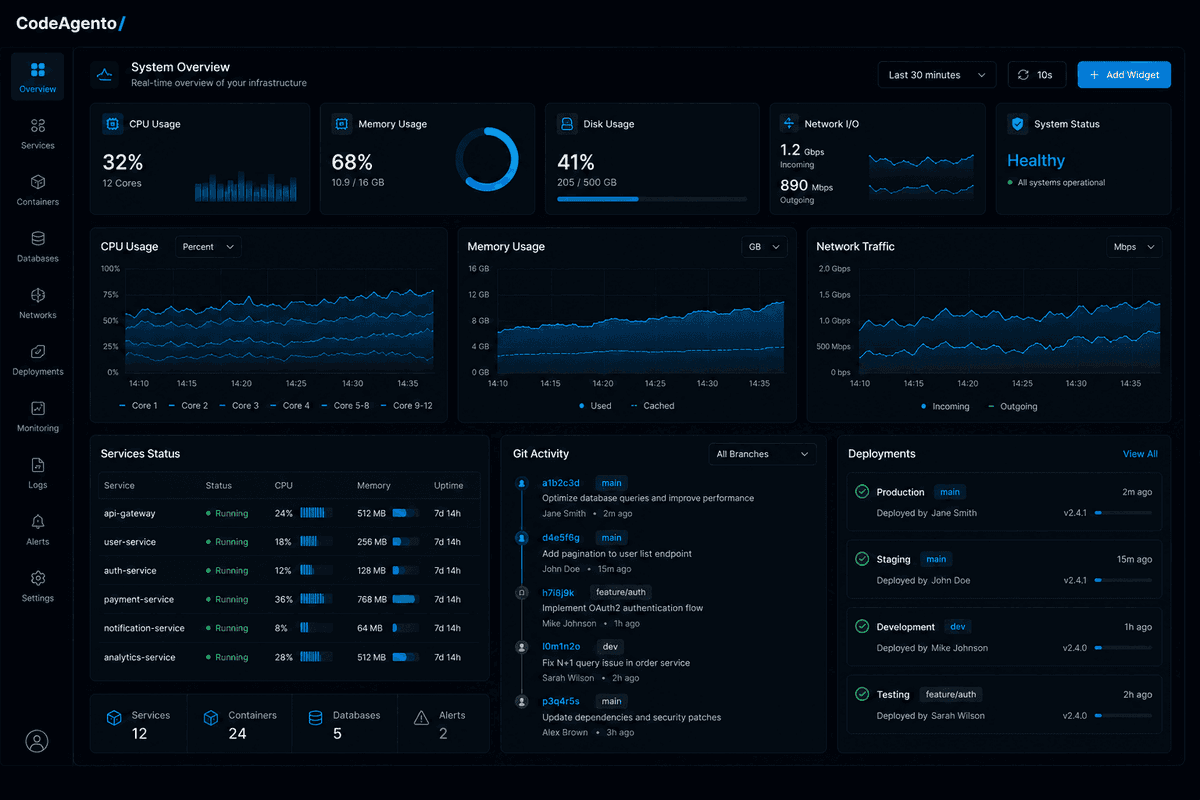
System Monitor
Real-time CPU, memory, load average, and network interfaces.
Analytics Dashboard
Track tool usage, daily activity, top events, and user engagement.
Enterprise Security
Sandboxed file systems, encrypted credentials, session isolation, and OWASP compliance.
Built with industry-leading technologies
 Gemini
 TypeScript
 Node.js
 MongoDB
 Redis
Redis Docker
 Stripe
 Vercel
What Developers Say
Engineers from top companies on the features that matter most to them.
“The agentic AI tools are what sold me. I built a custom agent workflow in 20 minutes that would have taken me a full day with other tooling.”
Alex Kim
Staff Engineer at Stripe
“12 AI generators sounds like marketing fluff, until you use them. The component generator alone cut our prototyping time by 60%.”
Elena Vasquez
Frontend Lead at Shopify
“Docker management, SSH, cron jobs, and load testing, all in the browser. I haven't opened a local terminal for backend work in weeks.”
David Park
DevOps Engineer at Cloudflare
Feature Questions
Common questions about CodeAgento's tools and capabilities.
Can I run Claude Code, Codex, or Gemini CLI in CodeAgento?
How are the AI generators powered?
What languages does the Monaco Editor support?
Can I connect to my own databases and servers?
What are Agentic AI Tools?
Is there a limit on how many tools I can use?
Ready to Try It?
Start with the free tier: 1 project, 1 terminal, 50 AI generations/day. No credit card required.